




Here's how to start using it
Congratulations!
Welcome to CoinKeeper


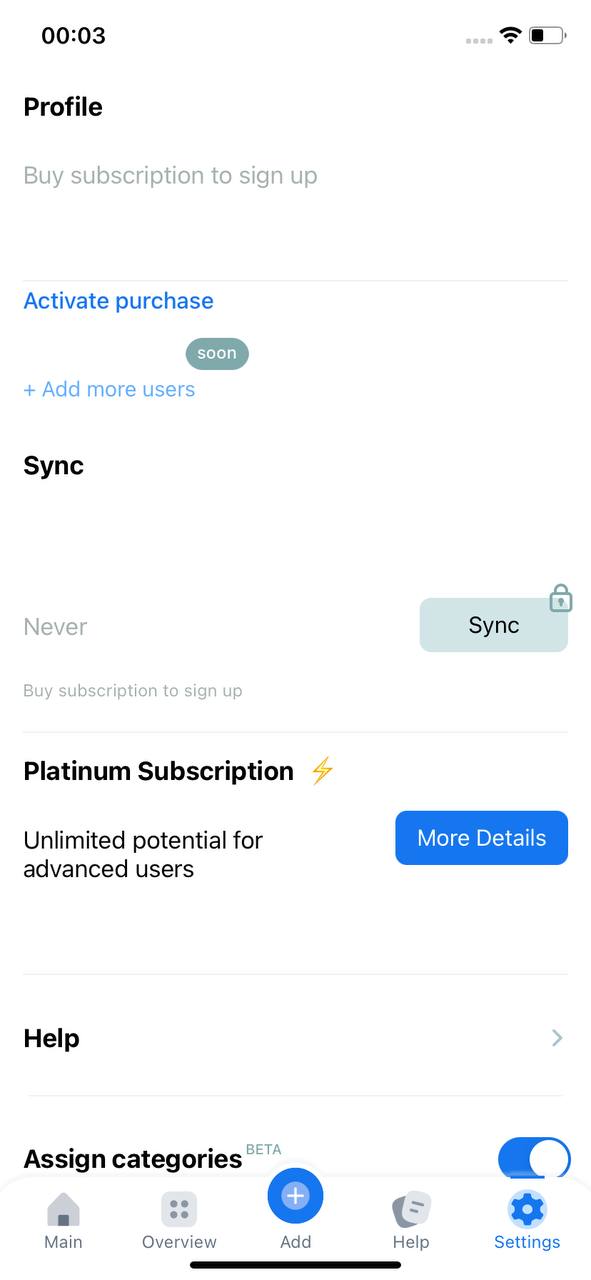
1. Go to "Settings" section

Case: you've been using CoinKeeper³ for a while, but with no Platinum subscription
Please check your inbox for the email that was sent to you right after your successful purchase. That email contains your login (which is your email) and password. You can change the password later in Settings section in the app.
If you didn't receive the email, please check "Spam" or "Promo" folders.
If you didn't receive the email, please check "Spam" or "Promo" folders.

2. Tap "Activate purchase" button
3. Enter the login and passord that were sent to your email right after your successful purchase.
* Forgot your password? Don't worry! Tap "Forgot your password?" button.
- Download CoinKeeper³ app
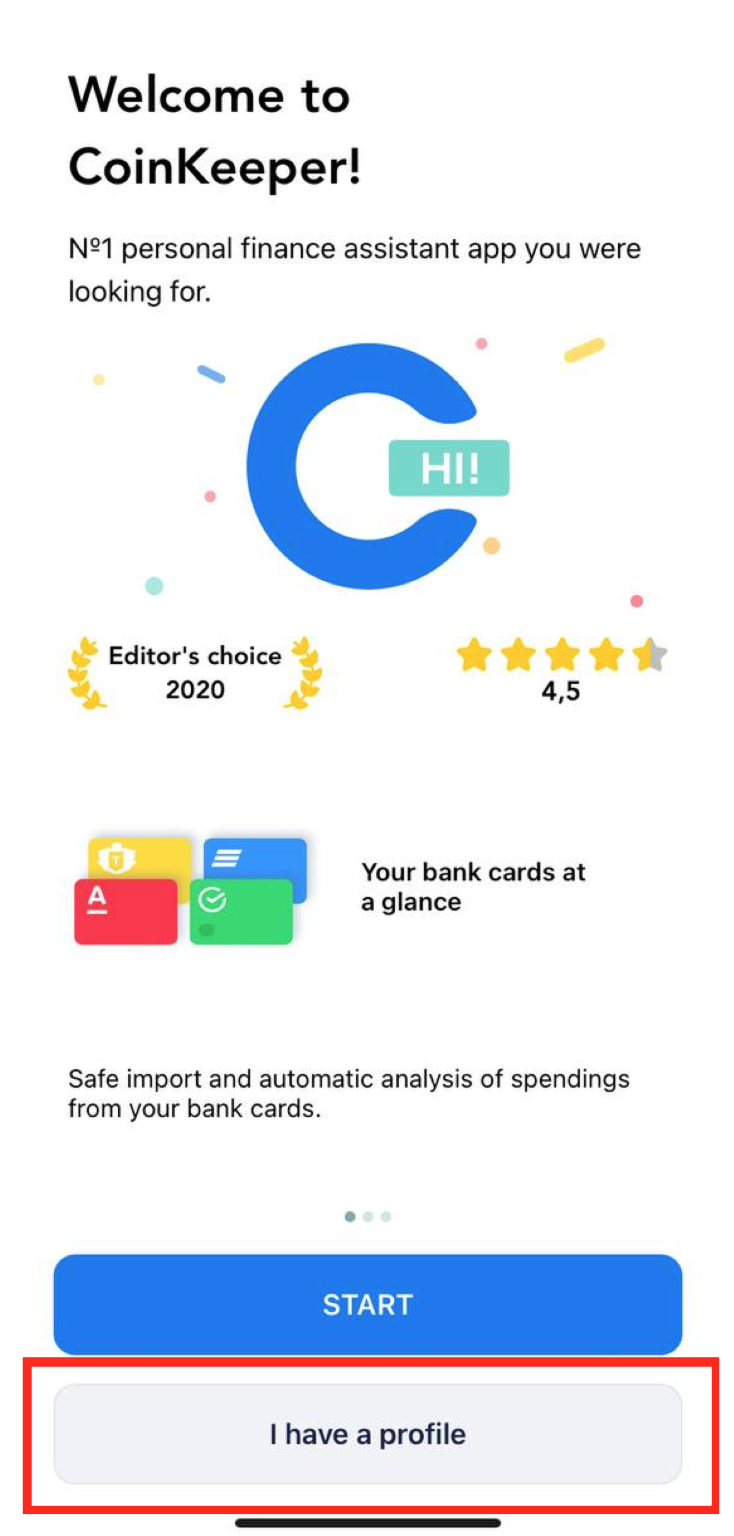
2. Click on "I have a profile" button

3. Enter your login and password that have been sent to your email after your purchase
Case: you haven't been using CoinKeeper³ app
Download
CoinKeeper

The most popular app for personal finance management. Everyday more than 500,000 users all over the world make right financial decisions with CoinKeeper